Problem Solving with Computers
Summary
A computer can work on a piece of a problem when that piece has clear edges: something goes in, a fixed rule acts on it, and something comes out. The same shape appears at every level, from a logic gate to a function to a complete system. Once you know the input and the expected output, the piece comes with its own test. A program answers how the work happens. Data representation answers what the machine can work on in the first place.
In this chapter, we address the following questions:
- Why does every computer-solvable piece have an input, processing, and an output?
- Why does a box with a clear input and expected output come with its own test?
- What does a sensor actually see when you hold a red LED in front of it?
- How do boxes connect, and what must agree at their boundaries?
- How can the same box be described and opened at different levels?
- Which question does a program answer, and which question does it leave open?
You need this concept from Challenge 0 onwards. Every task in this module is a box with an input, an output, and a test.
Explanation
Think about the self-service terminal in a fast-food restaurant. You tap a few pictures, pay, and a tray appears a little later. You do not see the kitchen. You do not need to. You can use the system because you know what you put in and what should come out. And if the tray contains the wrong meal, you know that something between those two edges failed.
This page takes that familiar shape and puts it to work on computer problems. The kitchen will become a program, the order will become data, and the tray will become a result. But the useful part comes first: clear edges let you test what happened in between.
A box you can test
Suppose you ask a small piece of code called add() to add 2 and 3. The two numbers are what you put in. Before the code runs, you can already say what should come out: 5. Now run it. If the actual result is 5, the test passes. If it is 6, the test fails. You did not need to inspect a single line inside add() to make that decision.
Now we can name the three parts. The numbers are the input. The work inside add() is the processing. The result is the output. Input, processing, output gives us the abbreviation IPO. Every piece that a computer can solve has this shape.
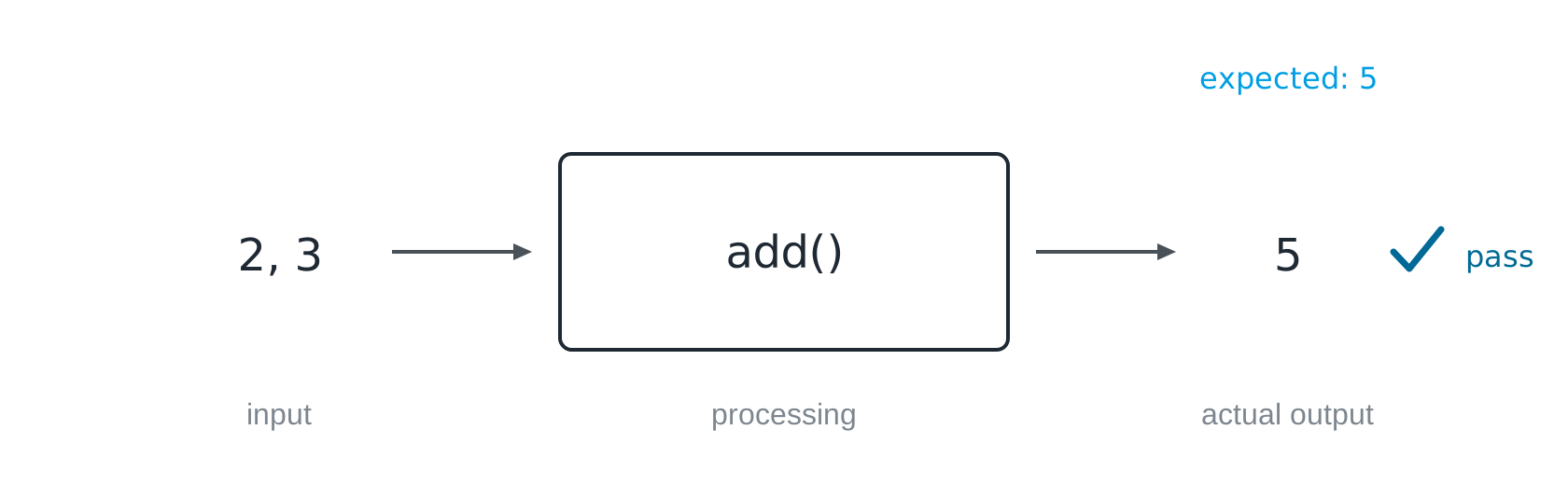
add(), 5 is the expected output, and the actual 5 makes the test pass.
This is also why the pieces from Cutting Problems had to be testable. A box with vague edges is hard to solve and impossible to check. A box with a concrete input and expected output tells you exactly what done means.
The boxes in your light link
Your project is a chain of these boxes. The sender takes text and turns it into a sequence of colours. Light carries that sequence across the table. The receiver turns the light back into text. The output of one box becomes the input of the next.
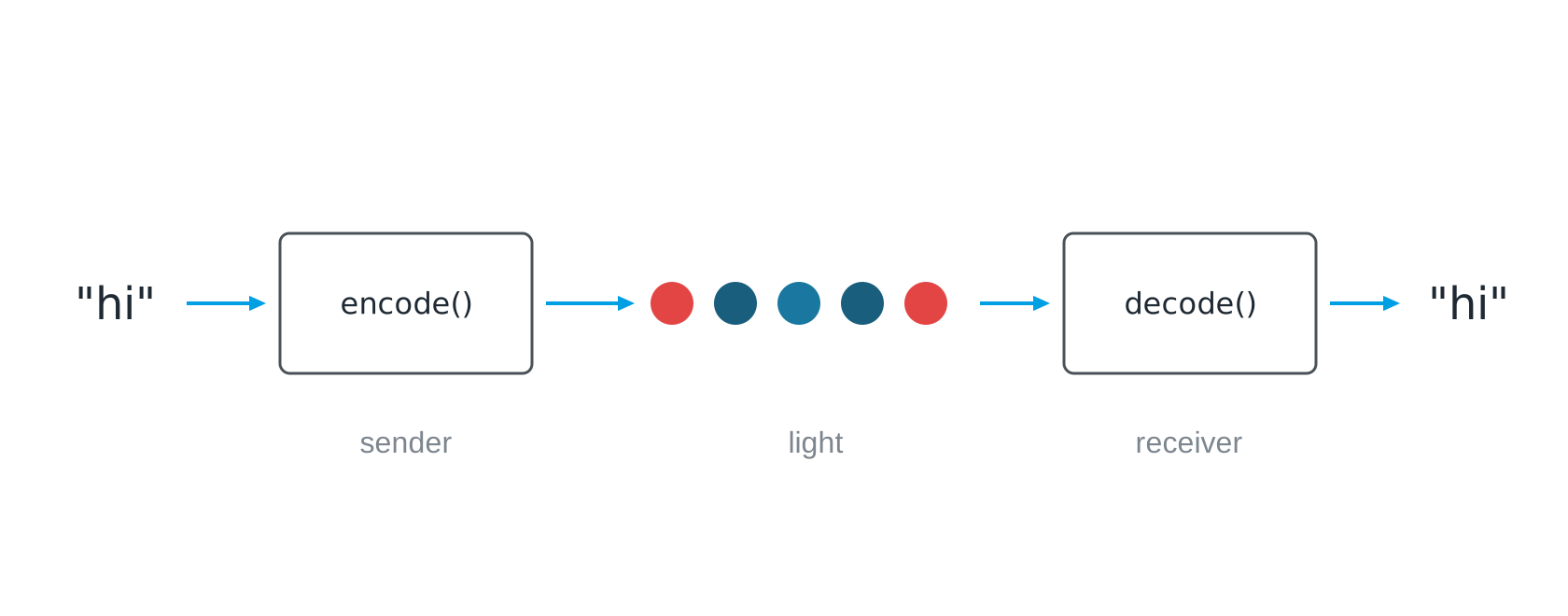
"hi" into colours, light carries them, and the receiver turns them back into "hi". The highlighted boundaries are the places where both sides need the same agreement.
Boxes connect only when their edges agree. If the sender uses blue for the letter a, but the receiver expects blue to mean b, both boxes may work exactly as written and the whole system still fails. The boundary needs an agreement about the form and meaning of the data.
The chain also gives you a route for debugging. If "hi" does not appear at the end, do not stare at the whole system. Follow the data. Did encode() produce the right symbols? Did the LED show the right colours? Did the sensor produce plausible numbers? Did decode() turn those numbers into the right text? Test one boundary at a time.
What the receiver actually sees
Hold a red LED in front of the receiver. Your eyes see red. The computer does not. The colour sensor contains four measuring channels: one responds mostly to red light, one to green, one to blue, and one measures the overall brightness. For one reading it might return r=203, g=41, b=57, and c=310.
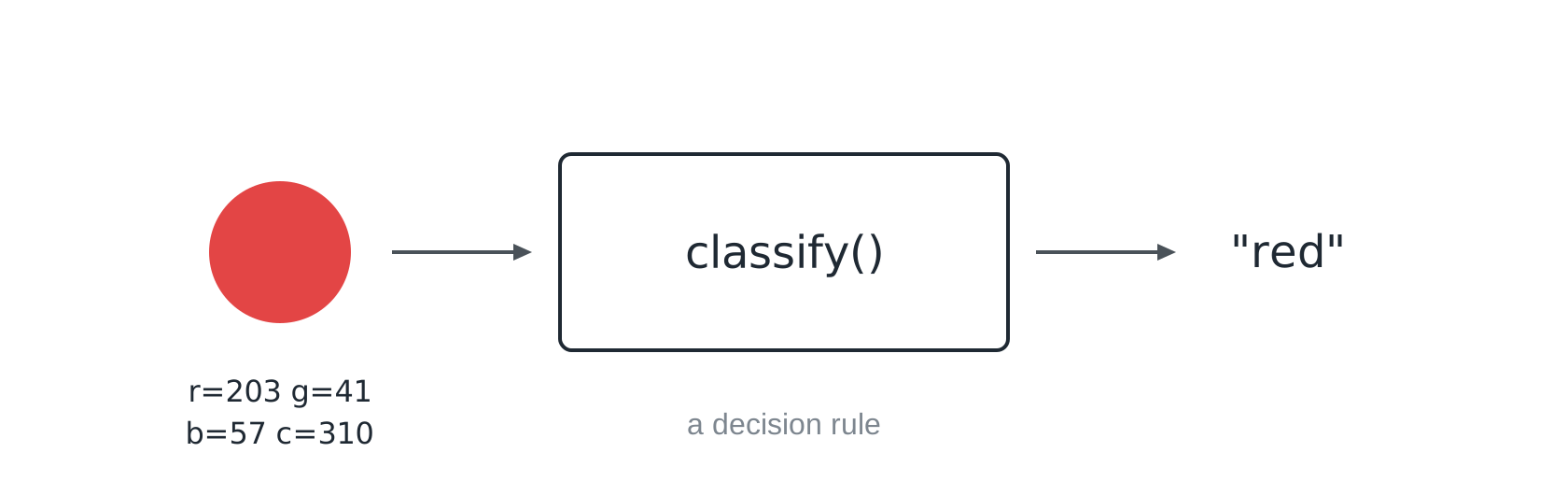
red. Four sensor values enter classify(), and a decision rule turns them into the output "red".
Those four numbers are the input. A rule such as “choose the strongest colour channel, unless the light is too weak or two channels are too close” is the processing. The word red is the output. Change a sensor value and the output may change. Keep the values fixed but change the rule, and the output may change again.
You can try both in the IPO test lab. Choose a sensor case, move the values or the thresholds, and set the output you expected before looking at the result. The lab then compares expected and actual output for you.
the ipo test labchange sensor values and the classification rule, compare actual with expected output, and watch the test pass or fail.LiFi Project · concept demos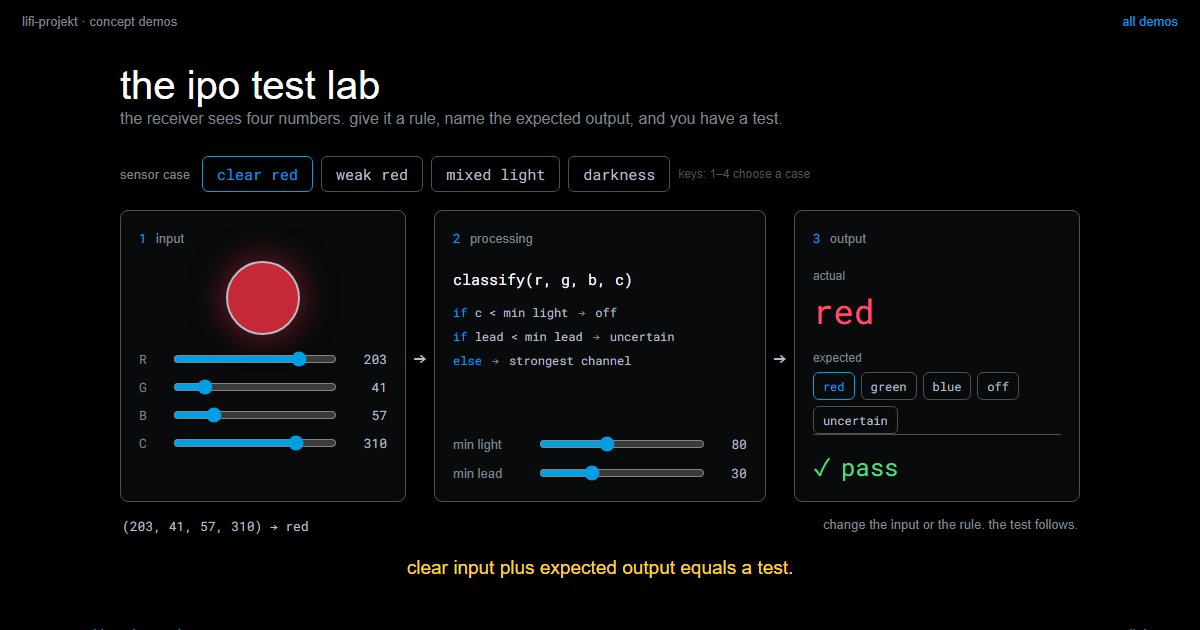
The small experiment exposes an important limit. A computer cannot work directly with the red that you see. It needs a representation it can process, here four numbers. And those numbers do not carry the decision by themselves. Your program supplies the rule.
Boxes inside boxes
From the outside, the whole sender can be one box: a message goes in and light comes out. Call the processing send(). If that box is the right size for your question, stop there. If the test fails and you need to know why, open it.
Inside send() you find a chain of smaller boxes. One encodes the text, one chooses the next colour symbol, and one drives the LED. Each smaller box has its own input, processing, output, and test. Open one of those, and you can find still smaller boxes.
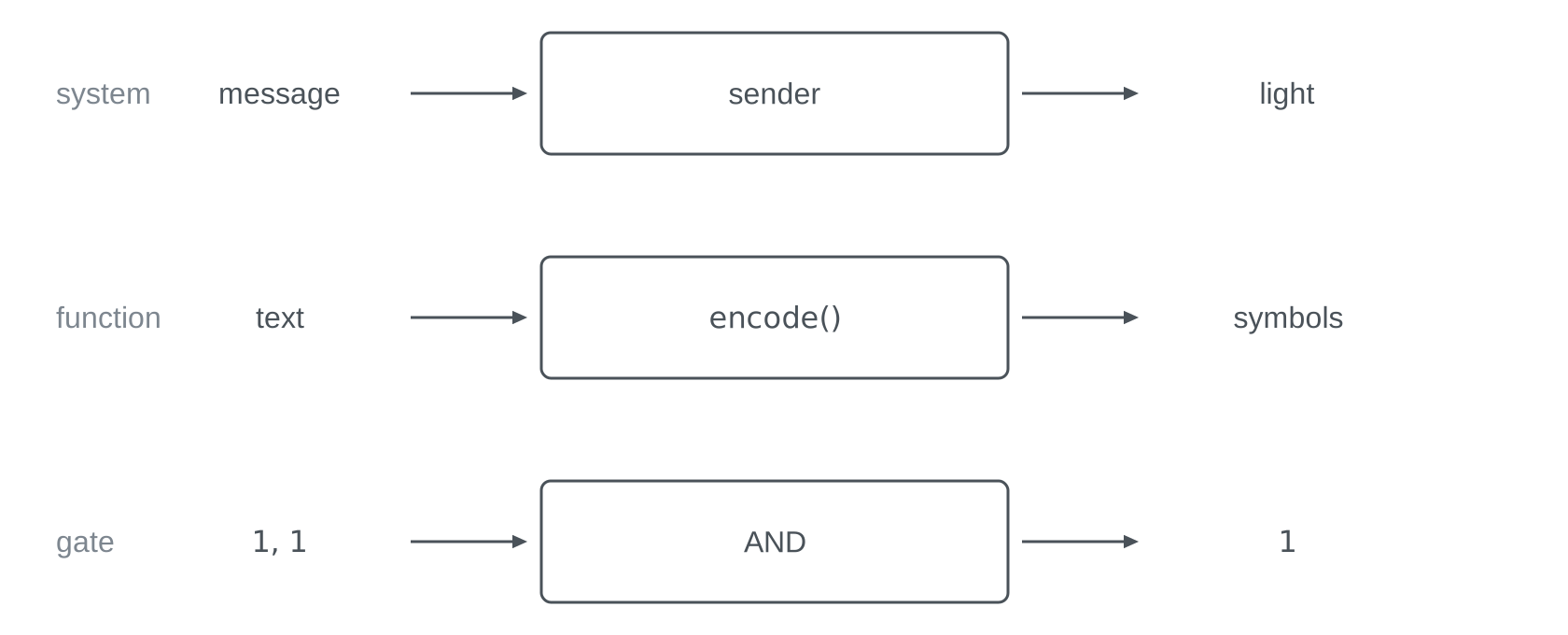
The pattern survives all the way down. A complete sender takes a message and produces light. The function encode() takes text and produces symbols. An AND gate takes two bits and produces one bit. Their size changes. Their IPO shape does not.
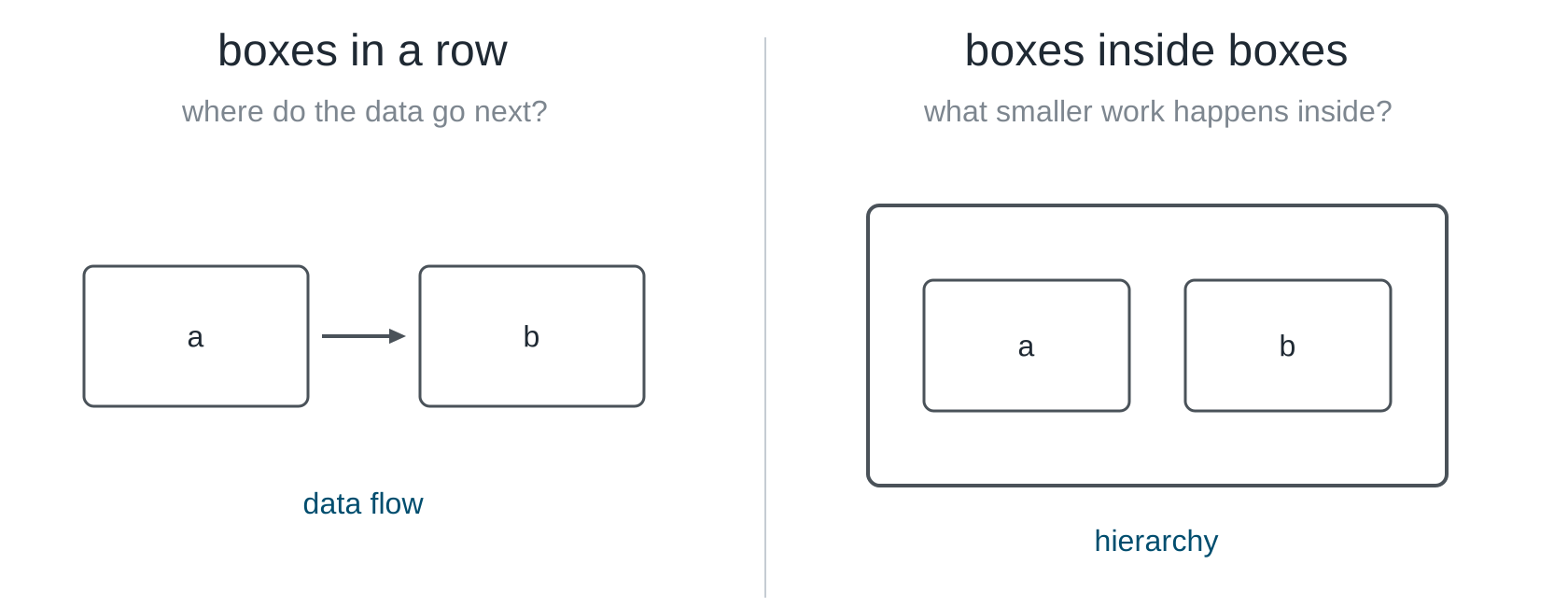
There are two different relationships here, and keeping them apart saves confusion. Boxes in a row show where the data go next. Boxes inside boxes show what smaller work happens inside. The first picture is data flow. The second is decomposition.
There is no single correct level for every situation. The right level is the one at which your current question has a clear input and an expected output. If you cannot write a test for a box, its edges may still be vague, or the box may still be too large.
Two questions inside every box
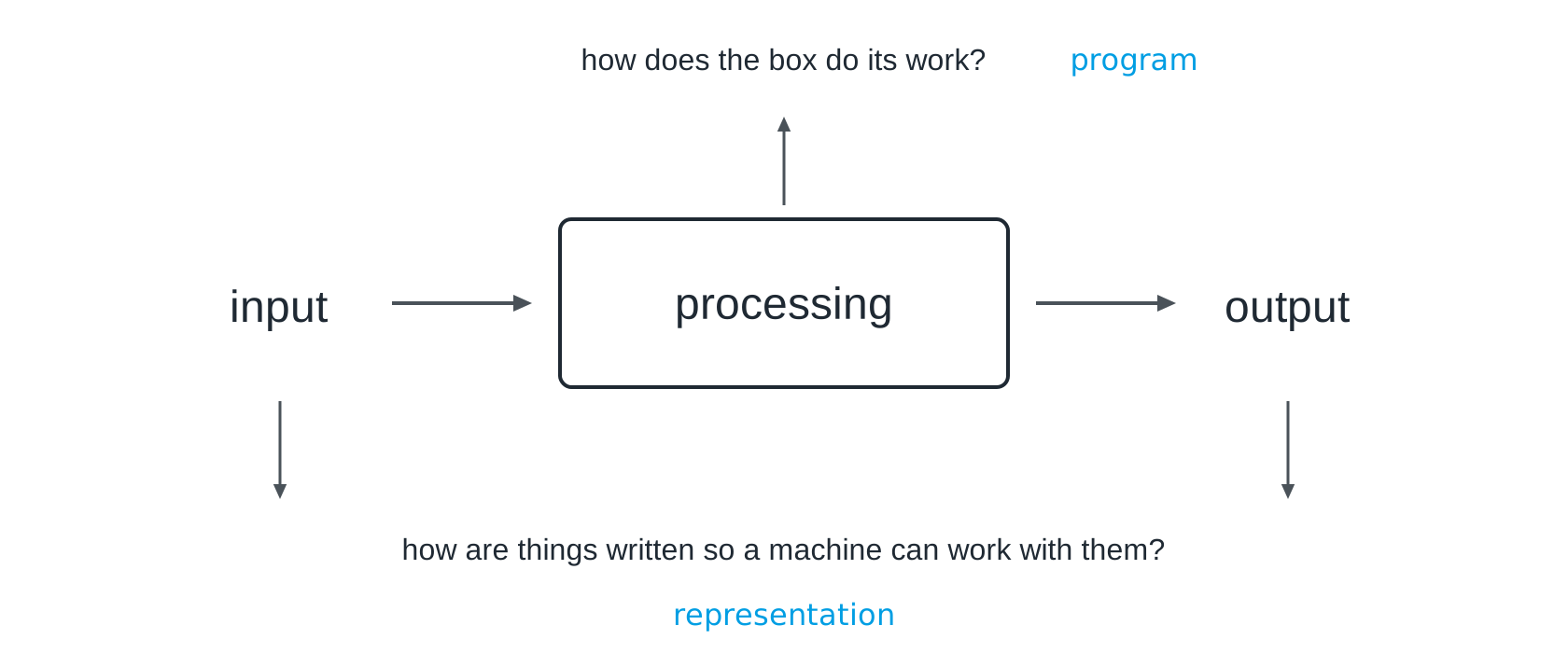
Once the edges are clear, every box leaves you with two questions. The first asks: how does the box do its work? The answer is a program, an algorithm written so the machine can carry it out. That is where we go next in Algorithms and Programs.
The second asks: how are the things at the edges written so a machine can work with them? The sensor example turned visible light into four numbers. Other answers use bits for symbols, numbers, pictures, and files. We will build them in Measurement and Experiments, Symbols and Information, Number Systems, and Code Systems.
A black box still needs a test
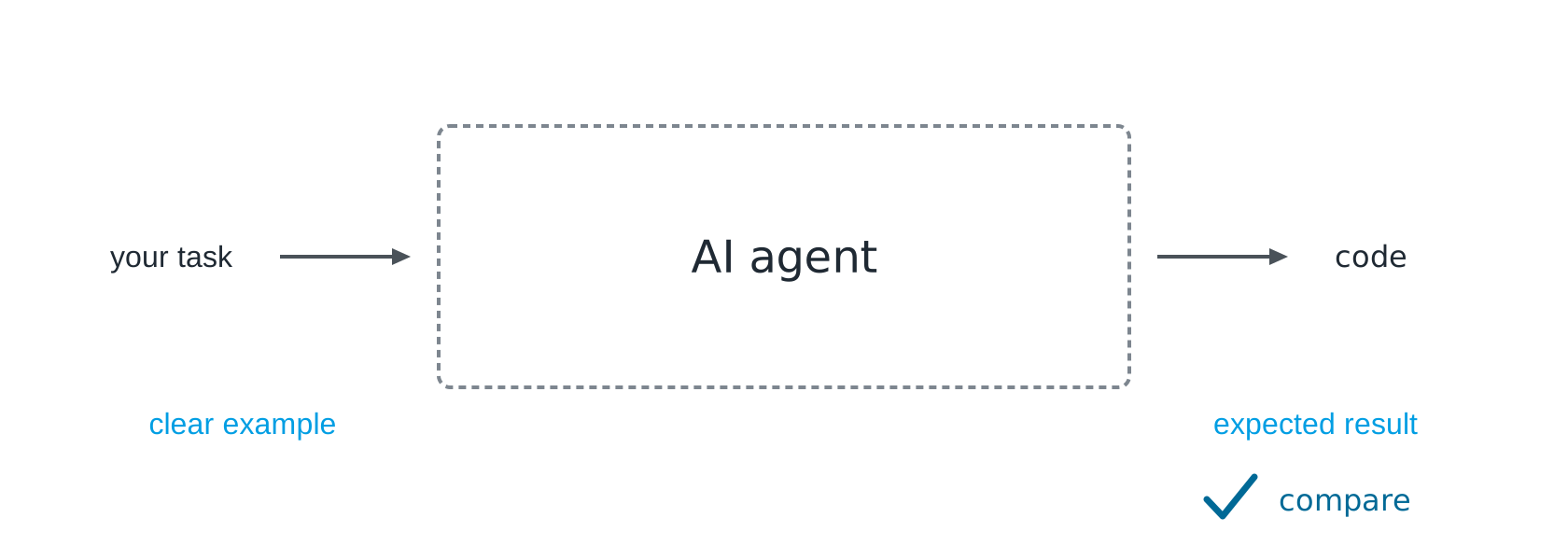
An AI assistant fits the same picture. You give it a task and it gives you code. What happens inside is much harder to inspect than add(), so clear edges matter even more. Give it a concrete example as input. Write down the result you expect. Then run the code and compare.
You do not have to trust a black box when you have a test. That brings us back to the restaurant. You did not need to see the kitchen to check your tray. But once the tray is wrong, the large kitchen box is no longer enough. You open it, follow the order from station to station, and test the smaller boxes. Next, we open the processing box. What happens inside is called a program.
Slides
The slides for this concept, right here. Page through them with the buttons in the top right corner, or click into the slides and use the arrow keys. The other buttons give you full screen, the slides in a new tab, and the deck as a PDF.
Practice questions
The practice questions have the same format as the exam, so they are also a good way to prepare for it.
Further reading
- Charles Petzold: Code. The Hidden Language of Computer Hardware and Software. 2nd edition, Microsoft Press 2022. Builds a complete computer from tiny boxes with inputs, fixed rules, and outputs, one testable step at a time.