The Project
What you build, who you build it with, and how the challenges fit together
Here is the whole project on one page. If you read only one page before you start, make it this one.
The device
Each device is a small box with two things on its front: a lamp and an eye. The lamp is an RGB LED, which means three tiny lights in one, red, green and blue, and you tell each one how bright to shine. The eye is a colour sensor that reports how much red, green, blue and light in general reaches it. A thin wall between the two makes sure the box does not see its own lamp. Inside sits a small controller board that talks to your laptop over USB. That is all. The Hardware page shows every part and the 3D-printed case.
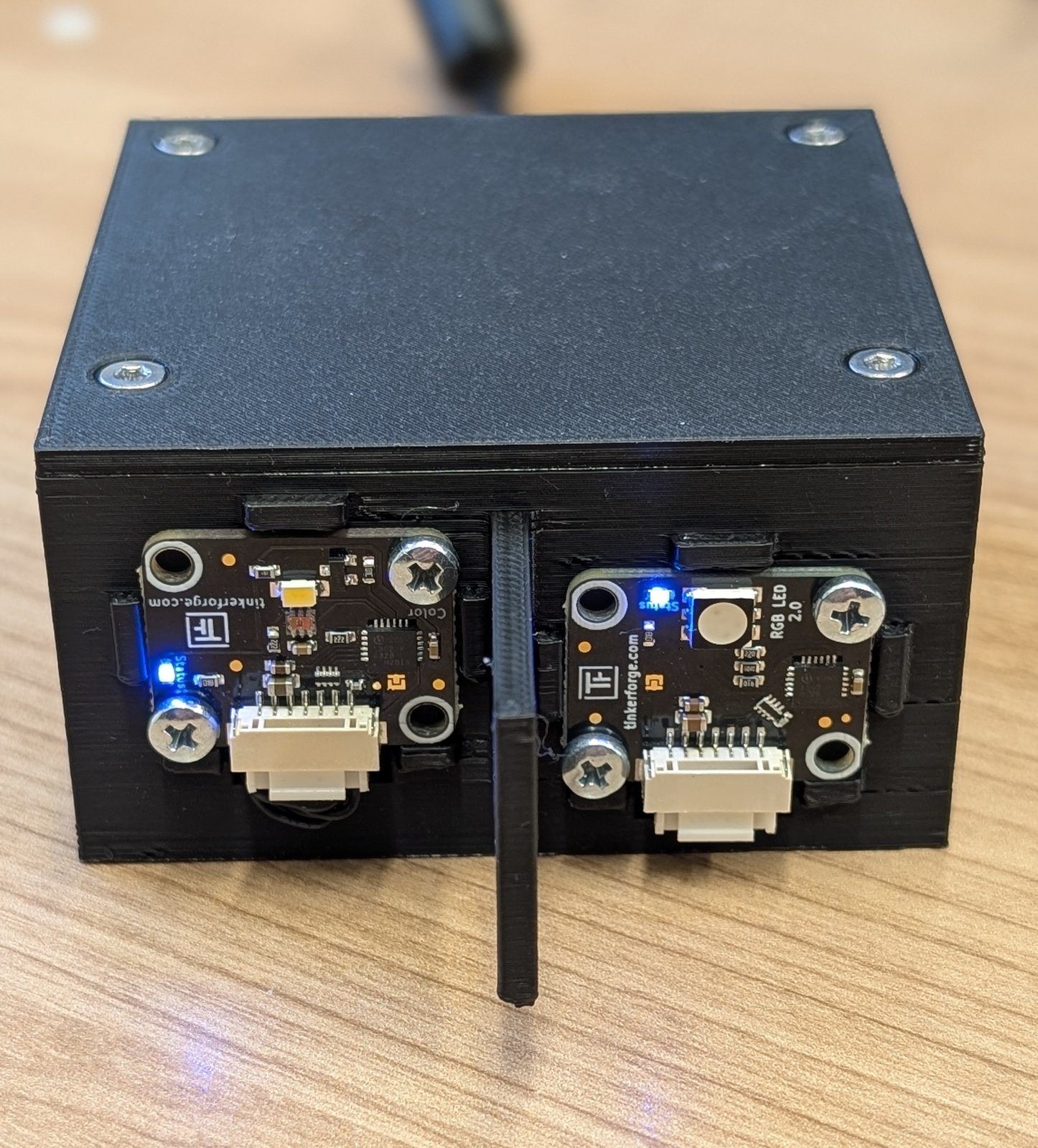
Two of these boxes stand on the table facing each other. Because the second box is turned around, its eye looks at the first box’s lamp and its lamp at the first box’s eye. So each box can send and receive, and a pair of boxes is a complete link in both directions. For most of the project you will only use one direction. The way back is waiting for you in the last challenge.
The distance between the two boxes is fixed and the same for everyone. You are welcome to improve the optics with whatever you can build yourself: a tube, a shade, a mirror. What you may not add is another light source or another sensor. The rules are on the Hardware page under optical setup.
You and your partner
The project is designed for two people. You get one device each, so between the two of you, you own both ends of the link. That matters more than it sounds. Whoever builds only the sender has to guess what the receiver sees. You do not have to guess. You can look.
Each of you works on your own laptop with your own box, and you keep the boxes for the whole project. The two ends of a link have different jobs, so split the work, and swap roles now and then so that both of you have seen both sides. When one side does not work, the other side is usually where the answer is, and that is exactly the kind of conversation the project is built around.
If you are doing this on your own, you can still get very far: connect both boxes to one laptop and run the sender and the receiver as two programs. You lose the partner, not the project.
The tools
You program in Python, in Visual Studio Code, with an AI assistant at your side. A small module called lifi_hardware talks to the box for you, so your first program is a few lines long. Everything you need to install, and in what order, is under Required Software. How to work with the assistant so that it helps you rather than misleads you has its own page.
The five challenges
The project is cut into five challenges. Each one adds exactly one new difficulty, and everything else stays as you already know it. That is deliberate: when something breaks, you will usually know where to look.
| Challenge | The question it asks | |
|---|---|---|
| 0 | The Spark | Can you bring your device to life? |
| 1 | The Alphabet | How many different signals can your receiver tell apart reliably? |
| 2 | The Word | Can you send a whole word, and how fast? |
| 3 | The Listener | Can the receiver find the start of a message on its own? |
| 4 | The Packet | Can you send a real file, and get it there correct and fast? |
Challenge 0 is not a competition. It ends when your LED lights up because you told it to and the sensor across the table notices. From Challenge 1 on, every team competes under the same conditions, and each challenge builds on the result of the one before. The alphabet you measure in Challenge 1 is what you send words with in Challenge 2. The timing that works in Challenge 2 is what the listener in Challenge 3 has to recover without help. Challenge 4 puts all of it together and adds the way back, so the receiver can finally talk to the sender.
Every challenge page has the same shape: the task, what is new about it, what is measured, what is worth keeping, the concepts you need for it, the traps we know about, and something extra for teams that finish early.
What every challenge produces
Three kinds of things come out of every challenge. None of them is handed in or graded: they are for your team, and they are worth keeping from the first day.
Measurement logs. What did you change, what did you keep the same, and what came out? A good log is one your partner can read a week later and still understand.
A description of your solution. How does your link work, in enough detail that another team could rebuild it? From Challenge 3 on this grows into a full specification of your protocol.
A log of mistakes. Two or three places where the AI assistant suggested something and a measurement proved it wrong. This is not a confession. It is the most useful document you will write, because it shows exactly where the assistant’s knowledge ends and yours begins. More about it under Working with your AI assistant.
Taken together, these documents are the story of how you solved the problem. They are also the best preparation for anyone who wants to explain, later, why their device works the way it does.
Where to start
With Challenge 0. Before that, install the required software and read the page on the hardware once, so that the parts have names when you plug them in.